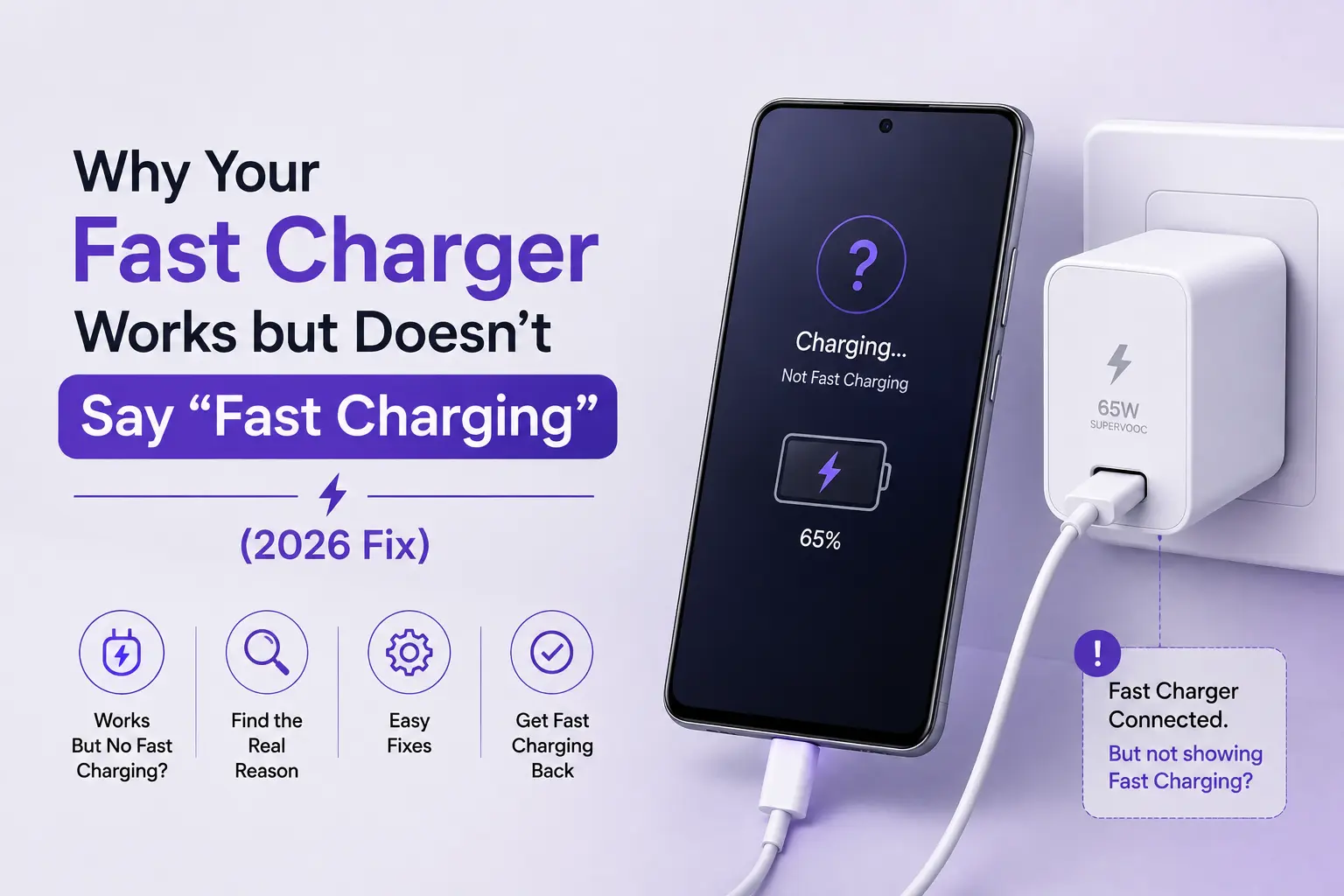
You plug your smartphone into a high-wattage power adapter expecting your battery percentage to jump rapidly, but instead of the reassuring “Super Fast Charging,” “Warp Charge,” or “Turbo Charge” prompt, your lock screen displays plain “Charging” or “Cable Charging.” Even worse, the estimated time to full charge reads two to three hours.
You know the wall adapter is rated for 33W, 45W, or 65W, and your phone technically works so why is your phone not fast charging?
In modern mobile electronics, fast charging is not a simple transfer of raw electrical current. It is an intricate digital negotiation between your phone’s Power Management IC (PMIC), the charging cable’s internal wiring, and the wall adapter’s protocol chip. If a single element in that communication chain fails, the system instantly throttles down to standard slow speeds for safety.
This guide explores the five main reasons your fast charger works but fails to activate fast charging, along with actionable fixes for 2026.
Your fast charger fails to show “Fast Charging” primarily due to: (1) a charging protocol mismatch (e.g., using a Quick Charge brick on a Samsung PPS or OnePlus phone), (2) a damaged or generic 4-pin cable lacking the data lines/E-Marker chip needed for the digital handshake, (3) pocket lint compacted in the USB-C port preventing pin contact, (4) thermal throttling in hot weather, or (5) disabled fast charging toggles in device battery settings. Cleaning the port, verifying protocol compatibility, and using certified 5A/6A cables resolves over 90% of cases.
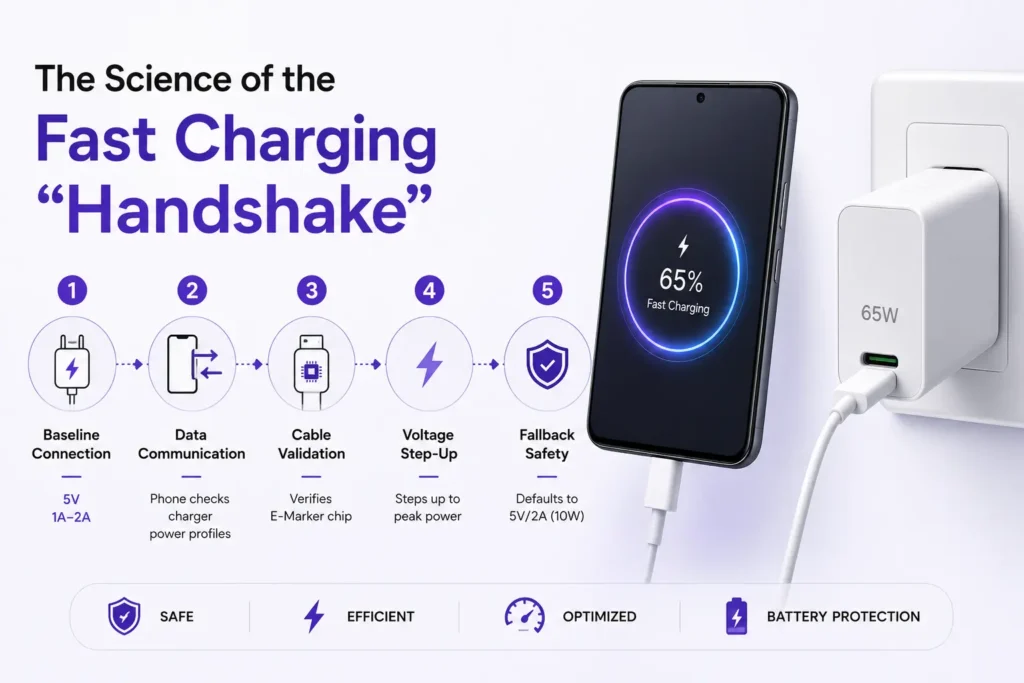
The Science of the Fast Charging “Handshake”
When you connect a phone to an authentic fast charger, power does not immediately flood the battery at full wattage. A five-step safety handshake occurs in milliseconds:
1. Baseline Connection: The charger initially delivers standard 5V at 1A–2A.
2. Data Communication: Over the USB data lines (D+/D- pins) or USB-C Configuration Channel (CC pins), the phone queries the charger’s supported power profiles.
3. Cable Validation: For speeds above 3A (45W–120W), the phone verifies the cable’s internal E-Marker chip.
4. Voltage Step-Up: If all checks pass, the charger steps up voltage and amperage to peak capacity.
5. Fallback Safety: If data pins are dirty, broken, or incompatible, the phone defaults to standard 5V/2A (10W) charging to prevent electrical fire.
The 5 Main Causes & How to Fix Them
1. Charging Protocol Incompatibility
Not all “watts” are equal. Different smartphone brands use completely incompatible fast-charging languages:
- Samsung Galaxy Devices: Require USB Power Delivery (PD 3.0) with Programmable Power Supply (PPS). Plugging a 65W OnePlus or 67W Xiaomi charger into a Galaxy S24 will result in only basic 15W charging.
- OnePlus, Oppo & Realme: Require SuperVOOC / Warp Charge (low voltage, high current). They will not fast-charge on standard Apple or generic PD adapters.
- Xiaomi & POCO: Require Mi Turbo Charge (proprietary 11V rail with 5th pin USB-A).
- Fix: Match your phone’s required protocol. For Samsung, use an authentic Anker 313 Ace 45W PPS Charger. For Xiaomi, use an official Xiaomi 67W Fast Charger.
2. Using a “Charge-Only” or Substandard 3A Cable
Cheap charging cables sold in local markets often cut costs by omitting the data transfer copper wires entirely, including only positive and ground power lines. Without data lines, the phone and charger cannot negotiate voltage, making fast charging physically impossible.
- Fix: Always use a certified, fully wired cable like the OnePlus Type-C to Type-C Cable or verified 5A/6A cables.
3. Compacted Pocket Lint Inside the USB-C Port
Over months of use, pocket lint packs tightly into the base of the phone’s USB-C port. When the cable is inserted, the lint prevents the connector from seating fully, blocking the microscopic data pins while still allowing basic power contact.
- Fix: Power off your device. Use a non-conductive wooden toothpick to gently scrape out the lint from around the center tongue. Re-insert the cable until you feel a firm click.
4. Extreme Summer Heat & Battery Thermal Limits
In Pakistan, ambient summer temperatures frequently reach 42°C. Modern smartphone operating systems (One UI, iOS, HyperOS) monitor battery temperature in real time. If the battery exceeds 39°C–41°C, the phone automatically halts fast charging to protect lithium chemistry from thermal runaway.
- Fix: Remove thick protective phone cases while charging. Avoid charging on beds or in direct sunlight, and do not play games while plugged in.
5. Software Settings Toggled Off
On many Samsung and Xiaomi smartphones, fast charging toggles can accidentally get turned off after major OS updates.
- Fix for Samsung: Open Settings > Battery > Charging settings > Enable Fast charging and Fast wireless charging.
- Fix for Xiaomi: Open Settings > Battery > Additional features > Enable Boost charging speed.
Fast Charging Troubleshooting Matrix
| Observed Behavior | Probable Root Cause | Immediate Solution |
| “Cable Charging” instead of “Fast” | Protocol mismatch or missing PPS | Use brand-specific certified PD/PPS or VOOC adapter |
| Fast charging starts, then drops to slow | Thermal throttling / High battery temp | Cool device, remove case, charge in air-conditioned room |
| Cable must be wiggled to charge | Loose port or compacted pocket lint | Clean USB-C port with wooden pick; replace worn cable |
| Charger gets extremely hot | Cheap replica adapter lacking GaN IC | Replace with certified Anker GaN Fast Charger |
Why WAPDA Grid Surges Damage Fast Charging Circuits in Pakistan
In Pakistan, frequent load shedding cycles cause dangerous inductive voltage spikes when grid power is restored. Substandard chargers lack internal transient voltage suppressors (TVS diodes). When hit by a surge, the charger’s fast-switching protocol chip blows out while the 5V transformer survives. The charger continues to supply slow power, but can never trigger fast charging again.
Investing in authentic charging gear from TechTouch.pk protects your hardware against local electrical volatility.
Frequently Asked Questions
Why does my phone fast charge up to 80% and then slow down?
This is normal behavior built into all modern lithium-ion battery management systems. Fast charging operates at peak speeds from 0% to 60–70%. Past 80%, the charger switches to “trickle charging” to prevent over-voltage and thermal stress.
Can a dirty charging cable prevent fast charging?
Yes. If the gold contact pins on your Type-C connector have carbon residue or dirt buildup, the resistance increases, causing the phone’s safety system to drop power delivery.
Will using a higher wattage charger force fast charging?
No. Your phone acts as the master controller and only draws the exact wattage and protocol it supports. A 100W non-PPS charger will still charge a 45W Samsung phone at only 15W.
Sources & Technical References
- USB Implementers Forum (USB-IF) Power Delivery Specifications — Official standards on Configuration Channel (CC) protocol negotiation.
- Samsung Electronics Official Support: Optimizing Battery Charging — Troubleshooting guide on Super Fast Charging and PPS handshake.
- Alibaba Electronics Fast Charger Protocol Guide — Technical breakdown of multi-brand fast charging failures.
- TechTouch – SuperVOOC vs Warp Charge vs FlashCharge: What’s the Difference?